

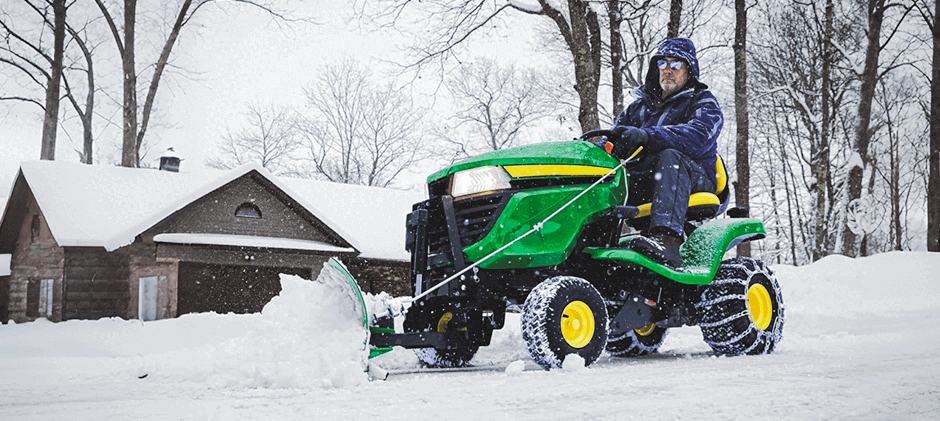
Winter is coming, don’t rush to put your John Deere X300 into storage. Easily clear snow from driveways and sidewalks with the right attachments. This guide will show you step by step how to install a snow blade on the John Deere X300. And make some necessary adjustments to make the machine run smoothly. Turn your lawnmower into a snow cleaner.
Essential Preparations
It’s really key to get your preparations right before you start. Arranging things in advance will not only make the installation smoother but also avoid some unnecessary trouble.
- Safety First: Park your X300 on a flat spot – like a garage or level driveway. Turn off the engine, set the parking brake, and take out the key. That way, it won’t move unexpectedly. Wear sturdy work gloves to keep your hands from getting scratched.
- Gather Your Tools: This job doesn’t require a ton of tools; a basic set of socket wrenches will suffice. Spread out the new snow shovel kit along with all the pins and bolts first to see what is there, and the installation will be much smoother in the back.
- Know Your Parts: Take a quick look: snow shovel body, A-frame or mounting bracket, front lift kit, plus a variety of pins and bolts. Probably know how they connect together, and won’t be confused when you actually put them together.
Removing the Mower Deck
The first major task is to remove the mower deck, as the snow blade assembly will use some of the same mounting points.
- Lower the Deck: Use the mower deck lift lever to lower the deck to the lowest position so that the support arm has less pressure and is easier for you to operate.
- Release Belt Tension: Reach under the tractor to find the main belt that drives the blades. You need to release the tension on the belt. There is usually a spring-loaded tensioning arm that is pulled back to loosen the belt and then removed from the engine’s PTO pulley.
- Disconnect Support Pins: The mower deck is held in place by a few pins, usually with two support arms on each side and a traction arm in front. Remove the cotter pin and then the kingpin. Remember to put these pins away and use them again in the spring.
- Slide the Deck Out: Once all the connections are removed, the entire mower deck assembly can be gently slid out of the side of the tractor.
With the mower deck out of the way, your X300 is ready for new winter gear.
Installing the Front Implement Lift Kit
For many John Deere X300 models, especially if this is your first time installing a front attachment, you will need to mount the front implement lift kit. This is the hardware that stays on the tractor and allows the lift handle to raise and lower the snow blade.
The process involves attaching specific support arms and brackets to the tractor’s frame. These parts often connect to the same points where the mower deck’s front draft arm was located. When installing a new bracket on an older X300, you must first remove the factory bolts that secure the deck arm. The bolt position will vary slightly with the model year, so just follow the specific instructions that come with the lift kit. The first installation is the most time-consuming, but thankfully, you usually only need to install it once. When you reinstall the mower chassis after winter, the set stays in place and you won’t need to move it.
Attaching the Snow Blade Assembly
Now for the main event. With the lift kit installed, we can mount the blade itself.
- Position the Frame: Slide the entire snow blade frame assembly under the front of your X300. The rear of the frame has hooks or channels that will connect to the tractor.
- Connect the Pivot Points: Lift the rear of the blade frame and hook it onto the designated mounting points on the tractor frame. These are often the same sturdy supports where the mower deck arms were attached. This connection acts as the main pivot point for the entire assembly.
- Attach the Lift Rod: Now, connect the lift rod (sometimes called a draft rod) from the tractor’s lift mechanism down to the attachment point on the blade frame. This rod is what physically raises and lowers the blade when you move the lift handle inside the cockpit. Secure it with the provided pin.
- Mount the Blade: Finally, attach the snow blade to the front of the mounting frame. The blade typically connects with a large center pin, which allows it to trip forward if it hits a solid object, protecting both the blade and your tractor from damage. As you install a snow blade on the John Deere X300, you’ll also notice two additional holes on either side of the center pin. These let you lock the blade at different angles so you can push snow to the left or right. For now, just keep it in the center position.
Fine-Tuning and Adjustments for Optimal Performance
Getting the blade mounted is only half the battle. Proper adjustment is critical for effective snow removal and to prevent damage to your driveway. Many users find that the blade doesn’t lift high enough off the ground after the initial install. This is almost always an adjustment issue.
The key to proper lift height is the draft rod. You want it adjusted so there is a small amount of play when the blade is on the ground. This ‘float’ allows the blade to follow the contours of your driveway without digging in. Here’s how to set it correctly:
- With the blade attached, push the tractor’s lift handle all the way down to the lowest position.
- Go to the lift rod connection. You should be able to turn the rod or an adjustment nut on it to change its effective length.
- Adjust the rod’s length until the blade rests flat on the ground and there is just a little bit of free play in the lift mechanism. This “float” is essential for uneven surfaces.
- Pull the lifting handle all the way up, and the blade should be about 3 to 4 inches (7.6 to 10 cm) off the ground. This is the normal working height; this thing is not designed to rise particularly high, but it is perfectly high enough to get over obstacles.
Over time, these connections may wear out, including the pins, bushings, and lifting rods. It will be difficult to make precise adjustments by then. So if you find a part that is worn out, bent or directly broken, it is correct to replace it with a high-quality one. Durable aftermarket snow blade and matching mounting parts, it works well at an affordable price. Your equipment worked reliably all winter long.
Conclusion
With the snow blade installed, your John Deere X300 will continue to come in handy during the winter. Learning how to install a snow blade on the John Deere X300 is a manageable project, and most people can easily follow a step-by-step guide. It’s perfectly fine to deal with winter snow.
It’s not difficult to maintain the equipment yourself. FridayParts offers a wide selection of high-quality replacement parts for John Deere, with ample inventory and affordable prices. Whether you’re doing maintenance or preparing for your next repair, find the right parts with us to keep your machine in great condition. Welcome to our website to find what you need.
